Almost every creative analysis ends in a slide nobody uses. I wanted mine to end once the new creatives had been generated, so I chained four tools into a single loop.
Why does creative analysis never end in new creatives?
Because there is a handoff between analysis and production, and handoffs leak.
The usual flow goes like this: someone exports performance, someone writes conclusions, someone builds a deck, and someone else has to turn that deck into a design brief. Every step loses context. By the time the brief reaches production, it no longer says which specific element of the ad worked.
The goal of the loop is to remove the handoffs and automate production but not judgement. Performance data goes in one side, new creative comes out the other, and the person steps in at the point where the decision actually has value.
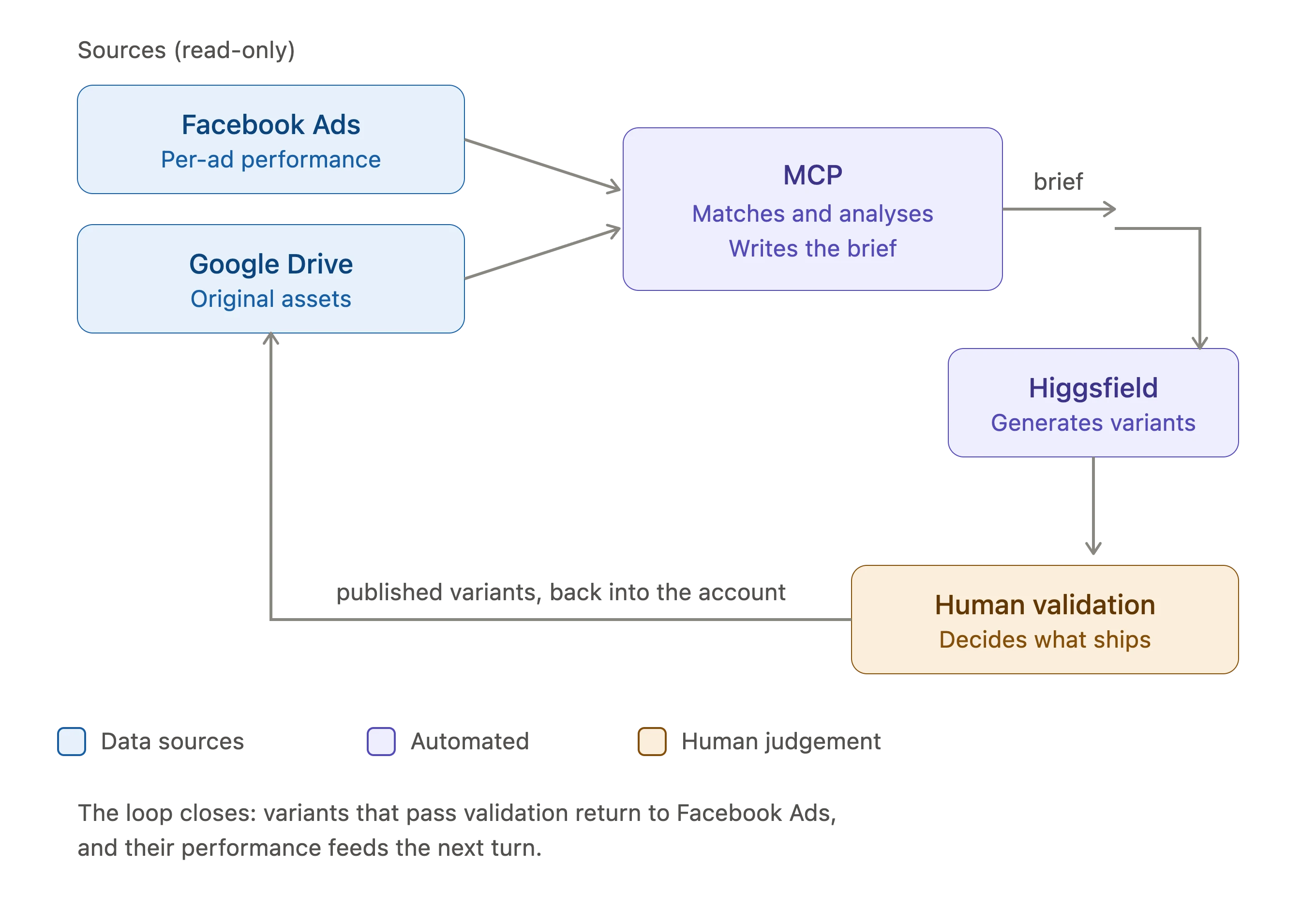
Step 1: read creative performance in read-only mode
The first step is handled by the Facebook Ads MCP (mine is configured as read-only). Read-only is not a timid precaution, it is a design decision: the loop produces proposals, not changes in the account, and I want it to stay that way.
What I pull from here is ad-level performance, not adset or campaign level. The adset tells you how an audience or a landing page performs, and that is not what I want to know at this point.
I started working on all this exactly when every specialist was complaining that Meta was blocking their accounts for connecting AI to the platform. I looked into it and found that every blocking reason was related to automating changes and optimisation, so I decided that anything tied to ad platforms would be read-only.
Step 2: match the result with the real asset
This is the step almost everyone skips, and the one that decides whether the rest works.
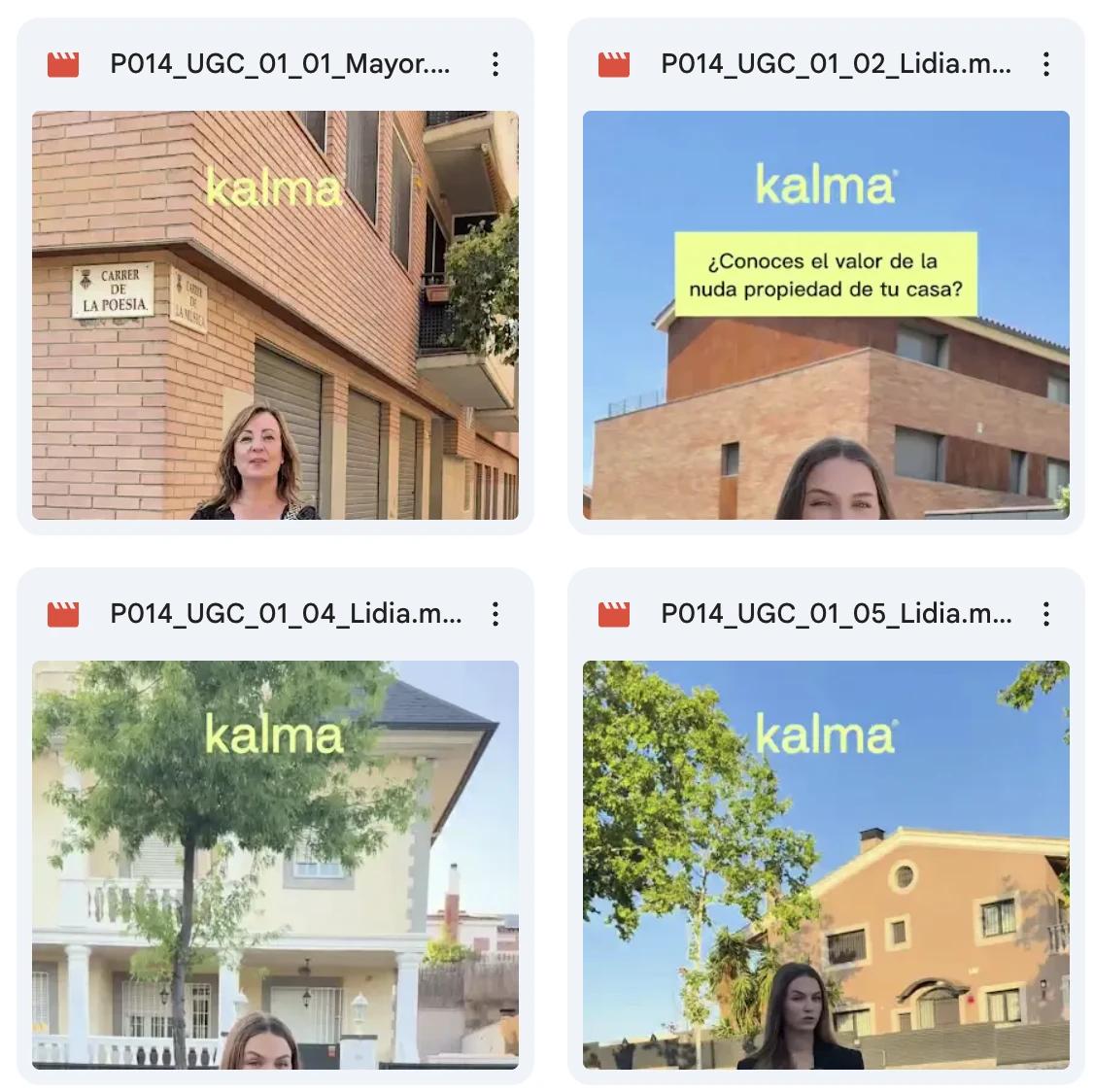
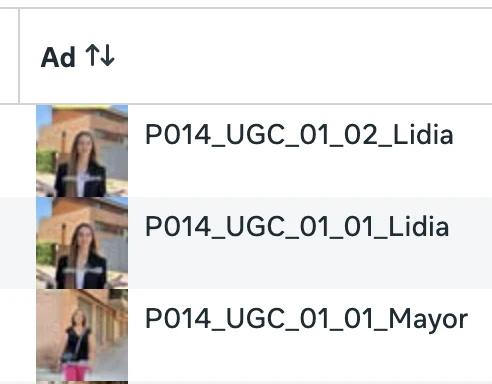
You give the ad a name inside the platform. That name needs to match the original file, the one sitting in Drive, so it can be analysed. The naming rule is the bridge:
P014_01_UGC_01
pack _ concept _ content type _ variant
With this naming, every performance row points at a specific file. Without it, you would be asking a model to draw conclusions from a file name, which is exactly the failure that makes this kind of analysis produce results that sound good and mean nothing.
For video, the AI takes an extra step: frames are extracted before the analysis. That way the model reads the real ad, with its composition and its on-screen text, not a second-hand description.
Step 3: the structured brief (the full spec)
For every winning variant, the MCP writes a brief with the same structure every time. The fact that it is always the same is half the value: a brief with fixed fields can be compared across batches, and a brief written in prose cannot.
These are the six blocks it contains, with a real example from an insurance account in Spain.
Block 1. Deliverable spec
- Format and ratio, for example 1:1
- Channel, for example Meta Ads
- Asset type: static image or video
- Client
- Vertical, for example insurance
- Market and language, for example Spain, Spanish
Block 2. Composition and layout
- Panel structure, for example subject on the right and copy block on the left
- Logo placement, for example bottom right
- Defined reading order, for example top to bottom inside the left panel
This block is the one that saves the most argument later. When the reading order is written down, review stops being a matter of taste.
Block 3. Casting
- Demographics, for example senior woman, Spanish
- Physical direction, for example silver grey hair, round glasses
- Expression and gaze, for example smiling, looking straight at the camera
- Tone descriptor, for example warm, real
Block 4. Colour palette
| Role | Example value | Function |
|---|---|---|
| Background | Warm ivory cream | Neutral base that does not compete with the subject |
| Primary and text | Dark indigo | Legibility and brand colour |
| Accent 1 | Lavender | Highlight element |
| Accent 2 | Lime green | Validation element |
| Inverse | White on indigo | Contrast blocks and CTA |
Block 5. Copy and message
- Literal strings for every element, leaving nothing open to interpretation
- Three objections turned into proof points, for example mobility, debt and income
- CTA verb, for example Calculate now
The literal strings thing looks excessive until the third round of review. If the brief says "a message about savings", every person writes a different one. If it says the exact text, the variant gets produced once.
Block 6. Art direction
- Style, for example modern flat, professional
- Visual references if there are any
- What not to do, usually the most useful part of the block
This is not a brief, it is the prompt that comes out of the brief template:
A clean 1:1 social media advertisement for a Spanish retirement-finance brand. Warm ivory cream background. On the RIGHT, a friendly real Spanish senior woman with silver grey hair, round glasses and a light blue shirt, smiling at the camera. On the LEFT, a designed text layout: a small bold dark-indigo eyebrow 'Tu mejor plan de jubilacion'; a large bold dark-indigo headline 'Una renta mensual de por vida por tu vivienda' with each line on a lavender marker-highlight; a checklist of three lime-green circle checkmarks reading 'Sin mudarte', 'Sin hipotecas', 'Ingresos cada mes' in dark indigo; a dark-indigo rounded pill button with white text 'Calcular Ahora'; and a small lowercase 'kalma' wordmark bottom-right. Modern flat professional ad design, crisp legible correct Spanish text.Step 4: generate the variants and validate them
The briefs go into Higgsfield to produce the variants. The client and I validate before anything reaches the account, no exceptions.
That validation point is non-negotiable for two reasons. The first one is brand: a model does not know what commitments a company has made about its image, and even with the right context it still makes mistakes. The second one is legal, and in insurance, health or real estate in Spain that is not a small detail.


How many variants come out of the oven once this process is done depends on the spend. For example, a client investing around 15,000 € a month in Meta and putting roughly 5,000 € into testing gets about 3 variants a week from me.
Where does this loop break?
- Inconsistent naming. If the asset history does not follow the rule, matching fails silently and the analysis comes out plausible but wrong.
- Low creative volume. With few active ads, the difference between a winner and a loser is noise, and the loop amplifies noise very fast.
- Brands with a strict manual. The more rigid the visual identity, the less room there is to vary, and the loop produces near-identical things.
- Long video. Frame extraction works well on short pieces. On anything over a minute it loses the narrative thread.
What actually changed
Producing variants got cheaper, but choosing became more important than ever.
The bottleneck used to be production, so judgement was applied implicitly: you produced three things and chose between three. Now you can produce thirty, and if you do not have an explicit standard for what deserves to exist, you publish thirty variants of the same idea.
When I talk about choosing, I do not mean picking 3 out of 30. I mean understanding whether the creatives meet the requirements and fit, and if they do not, asking Higgsfield for the edits needed to bring them in line with what the brand asks for.
Key points
- The loop removes handoffs, not judgement.
- Asset naming is the link that holds everything else up.
- For video, extracting frames is what makes the model read the ad instead of the file name.
- The brief has six fixed blocks, and copy strings go in literally.
- Human validation before publishing is not optional, especially in regulated verticals.
What to do now
- Pick an asset naming rule and apply it to the next batch, even if the history stays untouched.
- Take your best ad from last quarter and write its brief by hand with the six blocks. If you cannot fill them in, the brief is the problem.
- Connect step 1 and step 2 only. Before automating generation, check that the match between performance and asset is reliable.
- Write down who validates and against what criteria before you connect generation.
The creative audit routines I use as a base are open at github.com/Pauesome/claude-marketing-skills.
Closing thought
An unpopular opinion: the problem with creative marketing in 2026 is not a lack of volume, it is the excess. When producing is almost free, most teams produce more of the same instead of testing different things. The discipline to build now is not production, it is discarding.
What happens if we work together
A creative loop does not replace a thinking mind. It replaces the slide full of creative performance data that nobody used.
If you want to build something like this in your accounts, the first thing I do is not open a platform. I check how your campaigns are named, what stages your CRM has and who fills them in. With that on the table I tell you which part can be built in two weeks and which part needs fixing first.
Tell me about your case